



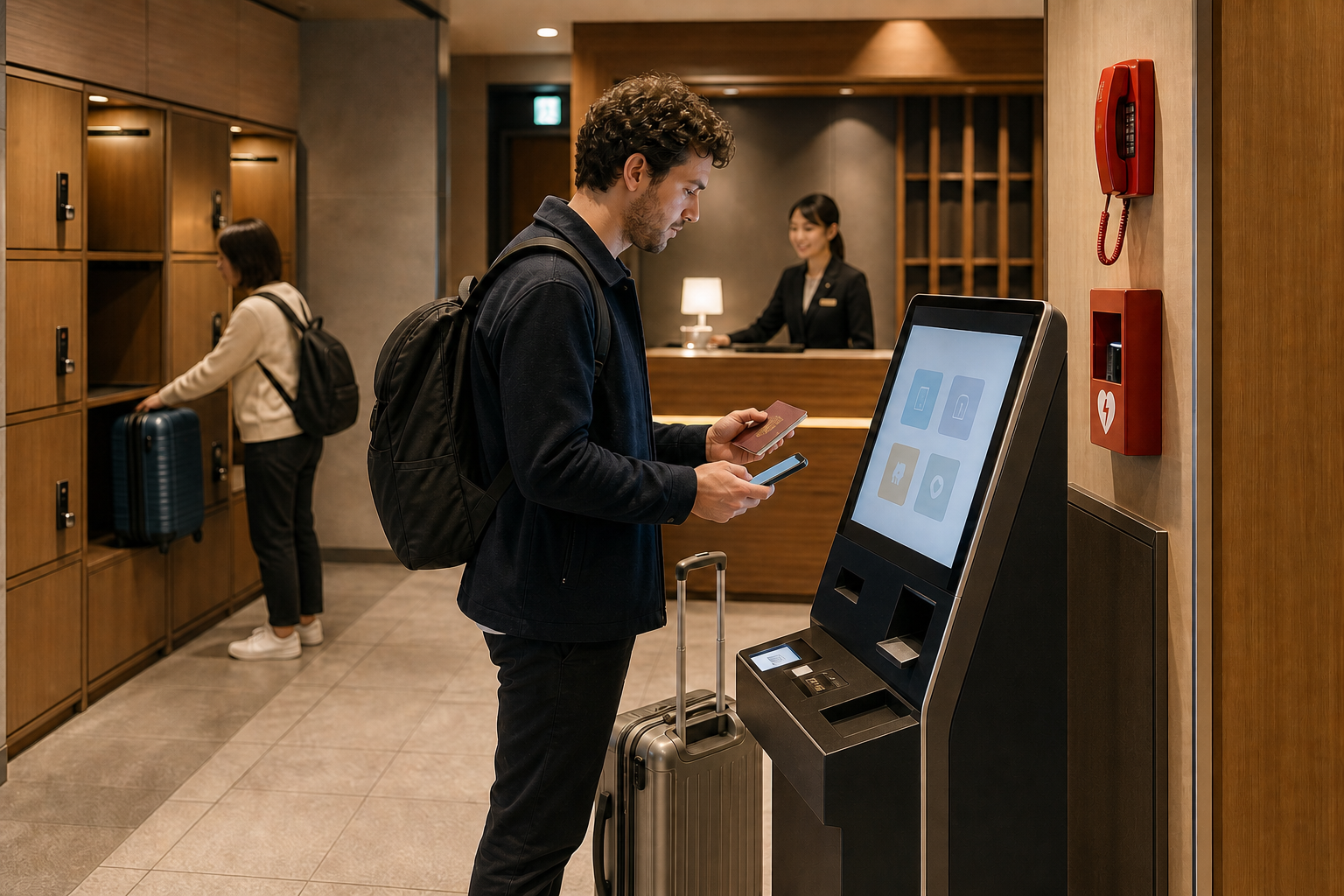
A “smart hotel” in Japan may mean a self-service kiosk, mobile pre-check-in, a digital room key, automated luggage storage or connected room controls. It does not guarantee a robot receptionist, a fully staffless building or a friction-free stay. The useful question is not how futuristic the lobby looks, but whether the system helps you arrive, verify your identity, enter the room and get human assistance when something fails.
What makes a hotel “smart”?
“Smart hotel” is a marketing description, not one official lodging category or quality grade. One property may automate only checkout; another may combine online registration, a kiosk, keyless entry, room tablets, occupancy-based climate control and remote support. Always identify the exact function behind the label.
Japan’s hospitality sector uses digital tools partly to manage labour shortages and concentrate staff time on problems that need judgement. This does not replace omotenashi with machines. Good hospitality can mean a short queue and a clear multilingual process—but also a person who can respond when a passport scan fails or a guest cannot hear an alarm.
The 10-point booking checklist
- Check-in window: Is the kiosk physically accessible after the entrance locks?
- Identity method: Passport scan, video call, staff desk or advance upload?
- Support: Is help on site, by phone or video, and in which languages?
- Room access: Plastic card, PIN, QR code, app, NFC or a combination?
- Phone dependency: What works if your phone is flat, offline, lost or incompatible?
- Payment: Does the machine accept your card, cash or only prepayment?
- Children/groups: Must every guest be registered, and who receives a key?
- Luggage: Is storage available before check-in and after checkout, staffed or app-controlled?
- Accessibility: Kiosk height, reach, audio/visual prompts, step-free route and emergency alerts?
- Emergency contact: Who responds at night and how do you reach them from the room?
Take screenshots of the official arrival instructions and hotel contact number. Do not rely on an online travel agency’s short amenity icon to explain an automated process.
Passport and identity verification
Japanese lodging operators must keep an accurate guest register. The current national rules require each guest’s name, address and contact information; a foreign guest without an address in Japan must also provide nationality and passport number. The government asks such guests to present the passport and allow a copy to be kept.
A machine may perform this step electronically, or staff may verify you in person or through an equivalent ICT method. Prepare the original passport, not only a photo. Enter the reservation name exactly enough for the system to match it, and register the actual guests rather than only the person who paid.
- Before uploading: verify that the link or app belongs to the hotel or its named check-in provider.
- At the kiosk: shield personal details from other guests and retrieve the passport immediately.
- If it fails: use the stated help channel; do not repeatedly photograph or send a passport to unrelated addresses.
Late arrival and kiosk failure
“24-hour check-in” can mean a machine is available, not that a multilingual employee waits in the lobby. A locked entrance may require a code sent after online registration. If your flight lands late, confirm the final check-in time, entrance method, identity-verification deadline and what happens if the code never arrives.
Common failure points include a booking made under another script, a second surname, a group-room mismatch, an unsupported payment card, a passport glare, a dead phone or poor roaming connection. Keep the reservation number and guest names offline. Contact the property before boarding your final train if any instruction is missing.
Digital keys and room controls
| Access type | Advantage | Failure to plan for |
|---|---|---|
| Card key | No app or battery needed | Demagnetisation, loss, lift reader |
| PIN | Easy to share with registered room members | Shoulder-surfing, code expiry, keypad height |
| QR/mobile key | Can arrive before the desk | Flat battery, dim screen, no data, app region limits |
| Biometric access | No object to carry | Consent, failed match, alternative access and data policy |
Never post a room PIN or QR key in a public group chat. Ask for a physical alternative if the phone is shared, battery-dependent or inaccessible. In the room, test the lock, lights, air-conditioning and emergency call before unpacking. A tablet-controlled room should still have a clear way to turn essential lights on and contact help.
Cameras, face data and privacy
Self check-in may involve a passport image, a camera used for identity confirmation or, in some properties, facial recognition. A normal face image can be personal information, and sufficiently identifying face-feature data can constitute an individual identification code under Japan’s privacy framework.
Read the property or provider’s privacy notice for the purpose, controller, retention, sharing and deletion/contact route. Ask whether face recognition is optional and what non-biometric alternative exists. Do not confuse an identity-verification camera with permission for a hotel to reuse the image for advertising; Japan’s Personal Information Protection Commission states that changing security images or face-feature data to a marketing purpose requires prior consent.
Human help, safety and emergencies
A minimal lobby does not mean the operator has no obligations. National hygiene-management guidance requires systems for accurate registration, proper key transfer, entry control and rapid emergency response. Current guidance for qualifying arrangements envisages a response framework able, ordinarily, to bring staff or another responder in roughly ten minutes when urgent help is needed.
- Locate the emergency exit, stair, extinguisher/alarm point and nighttime contact before sleeping.
- Check whether the room phone, kiosk, QR page or messaging service reaches a real responder.
- In a fire or earthquake, follow the posted emergency route; do not wait for an app notification.
- For immediate danger call 119 for fire/ambulance or 110 for police. A hotel chat is not an emergency service.
Accessibility and sensory needs
A step-free entrance does not prove the kiosk, room or emergency information is accessible. Ask for measurements and a process description, not only the word “barrier-free.”
- Can a seated user reach the scanner, card slot and key dispenser?
- Does the kiosk offer text, audio, contrast and enough completion time?
- Is staff or remote assistance able to communicate by text?
- Are emergency alerts visual, audible or available through vibration/phone notification?
- Can the bed or table be moved for wheelchair transfer, and is the bathroom layout documented?
Requests for reasonable help—such as written communication, guidance to a room or an appropriate emergency contact method—should not be treated as unreasonable merely because the property is automated. Send requirements before booking and keep the written reply.
Who benefits—and who may not
| A smart hotel may suit you if… | Choose staffed service more carefully if… |
|---|---|
| You want a fast arrival, travel light and are comfortable with kiosks | You need complex language, medical or accessibility support |
| Your phone, payment and passport match the stated system | You arrive after midnight with uncertain connectivity |
| You value private, low-contact routines | You dislike cameras/biometrics or need a non-digital key |
| You have verified luggage and emergency arrangements | You travel with children, several rooms or many bags |
Automation is a feature, not a destination. Compare location, sleep quality, evacuation, cleanliness, support and total price before robot or app novelty.
Checkout, luggage and a low-stress workflow
- 48 hours before: finish only the hotel’s verified pre-registration, save the address and support number, and confirm arrival cut-off.
- On arrival: keep the original passport and booking number ready; do not block the kiosk while reorganising all luggage.
- In the room: test entry, essential controls and the help channel; find the evacuation route.
- Before checkout: check whether the key must be returned and whether charges remain at the kiosk.
- For luggage: confirm storage hours, size limits, retrieval authentication and whether lockers become unavailable when the hotel entrance closes.
Leave enough time for machine queues and payment errors. A 30-second advertised checkout is not a promise that every card, receipt or tax adjustment will finish instantly.
FAQ
Does self check-in mean I do not need to show my passport?
No. Foreign guests without a Japanese address are asked to present the passport and provide the required guest-register details; the hotel may complete the process electronically.
Is a smart hotel always staffless?
No. Automation may cover only one task, and support can be on site or remote. Check the exact nighttime response method.
Will every smart hotel accept cash?
No. Payment options vary. Verify international-card, cash and prepayment rules before booking.
Is facial recognition compulsory?
It depends on the property and system. Read the privacy notice and ask for a card, PIN or staffed alternative before paying if you do not want biometric access.
Official references: MHLW Hotel Business Act resources; MHLW passport guidance for foreign guests; 2026 lodging hygiene-management guidance; Personal Information Protection Commission Q&A. Hotel systems and service hours vary; confirm directly before booking.