



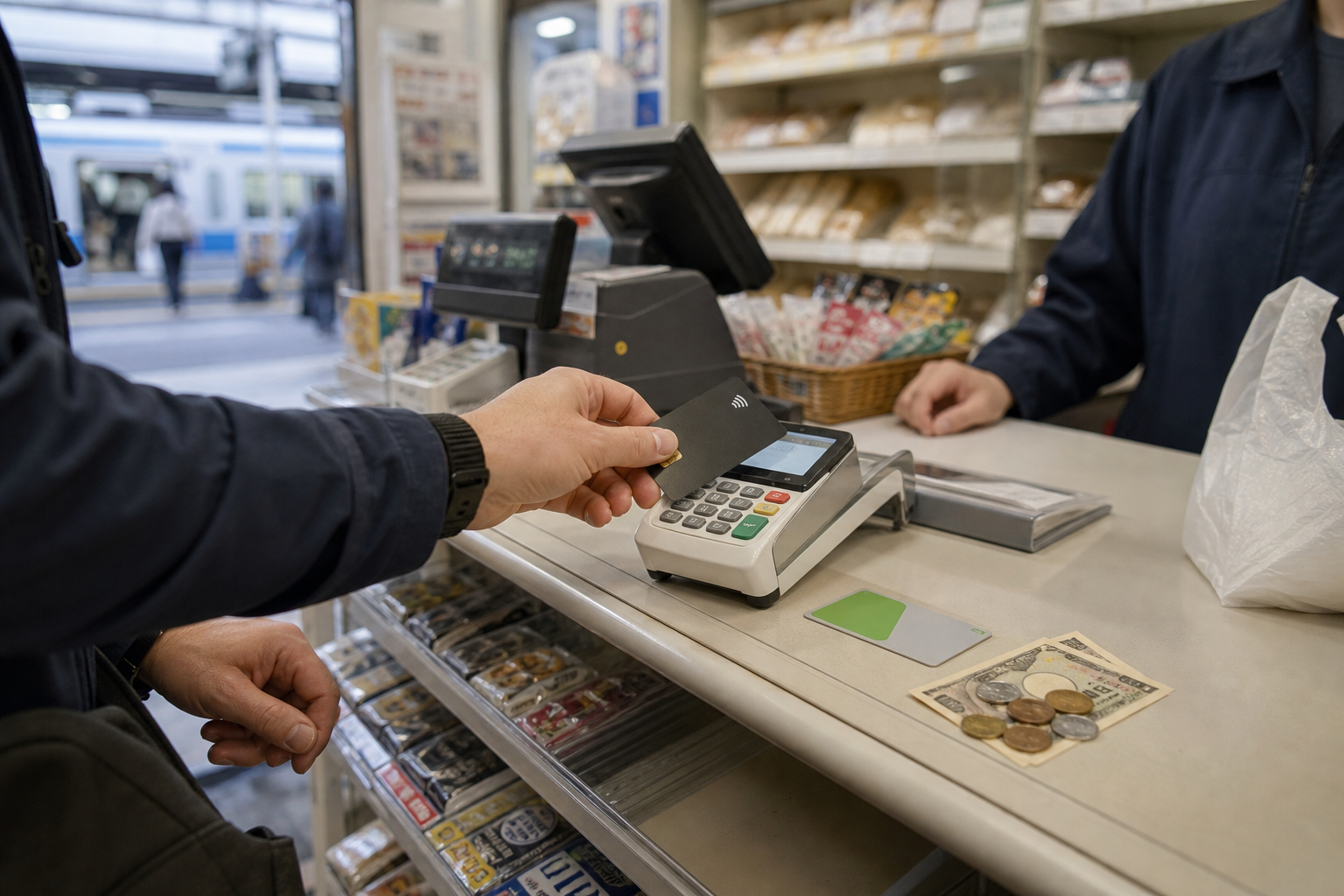
Information checked: August 26, 2026. Japan’s cashless payment ratio reached 58.0% in 2025, but that does not mean every shop accepts every overseas card or wallet. The terminal, card issuer, app, network and transaction amount can all affect approval. For visitors, the safest plan is not one perfect payment method, but two cards, a transit IC option and some yen.
A 58.0% ratio does not mean cash has disappeared
METI reports ¥162.7 trillion in cashless payments in 2025, equal to 58.0% of consumer payment value. Within that cashless total, credit cards accounted for 82.7%, debit cards 3.4%, electronic money 3.7% and code payments 10.2%. This is a value-based national statistic, not a shop acceptance rate. Cash-only or limited-brand payment remains normal at some temples, markets, food stalls, clinics, ticket machines and rural or island businesses. METI
Check the logo for every transaction
| Method | Best for | Main limitation |
|---|---|---|
| International credit/debit card | Hotels, department stores, large shops, online bookings | PIN, 3-D Secure or issuer block |
| Contactless card | Small in-person purchases | Matching logo required; insertion and PIN may be requested |
| Transit IC | Trains, buses and small purchases | Unsupported operators, ¥20,000 stored-value cap, refund rules |
| Domestic QR wallet | Participating stores | May require a Japanese number, account or identity check |
| Cash | Backup, small shops, outages | Do not carry all funds together |
Cards depend on the network, PIN and authentication
Look for your card network and contactless symbol at the entrance or till. Even with matching logos, an overseas card may be declined by fraud controls, regional settings, spending limits or an offline terminal. Japan ended the routine practice of bypassing an IC-card PIN with a signature at merchant counters in March 2025. Know your PIN, enter it yourself and never tell it to staff. A terminal may still request a signature in limited cases. Japan Consumer Credit Association
Transit IC is convenient, but not identical everywhere
Suica, PASMO and other cards carrying the nationwide interoperability mark work across many transport networks and stores. Exceptions include unsupported operators, journeys crossing certain IC regions, limited express supplements, reserved seats and high-value purchases. TOURIST PASMO, launched in May 2026, is valid for 28 days and ordinarily does not refund unused value. Welcome Suica Mobile requires a compatible iPhone or Apple Watch and an eligible card in the traveller’s own name; it lasts 180 days from the first charge and has no balance refund. Physical Welcome Suica can only be loaded with cash, not a credit card.
An overseas phone wallet will not automatically work
Japanese QR services may require a Japanese phone number, app-store region, bank account, locally issued card or identity verification. Use an overseas wallet only where the same logo or an official visitor interoperability notice is displayed. LINE Pay in Japan closed in April 2025 and should not appear in a 2026 payment list. When scanning a merchant QR code, confirm the shop name and amount with staff; never pay through an arbitrary sticker or message link.
Cash is part of the resilience plan
Obtain a modest amount of yen after arrival and keep it separately from your cards. Seven Bank and Japan Post Bank ATMs accept many overseas cards, but availability depends on the network logo, issuer, opening hours, maintenance and limits. Japan Post Bank states a ¥50,000 limit per withdrawal for overseas-issued cards; some cards incur a ¥220 ATM fee in addition to issuer charges. Read the final screen because fees and conditions can change.
Home currency is not automatically the better choice
An ATM or merchant may offer Japanese yen or your home currency through dynamic currency conversion (DCC). Home currency fixes the converted amount immediately, but its displayed rate and markup may be worse than your issuer’s conversion from yen. Compare the on-screen rate and markup with your card’s foreign-transaction fee. Cancel if the choice is unclear, and do not let someone else select the currency for you.
At the till, name the payment type
- Check the total, merchant name and matching payment logo.
- State one method: “credit,” “IC card” or “contactless.”
- Wait for the terminal prompt, then tap or insert and hold still until completion.
- Read and choose the PIN, currency and payment option yourself; visitors normally select one-time payment.
- Check the approval screen, receipt and app notification before leaving.
Split payment is not always supported. If setup is delaying the queue, switch to your backup method.
Do not tap repeatedly after an error
A failed payment and a successful authorization followed by a connection error are different. Check the terminal, receipt, banking notification and the merchant’s transaction record before paying again. For a possible duplicate, record the date, merchant, amount, last four card digits and authorization number, then contact the merchant and issuer. Refund reversals may take days. Never reveal a PIN, security code, one-time password or screen share, and never send money to “receive a refund.”
A practical 20-minute arrival setup
- Carry two cards on different networks and store them separately.
- Confirm each PIN, overseas-use setting, limit, alerts and emergency contact.
- Choose one transit IC product that fits your route and device; avoid leaving an unrefundable balance.
- Keep ¥1,000 notes and coins, not only ¥10,000 notes, and check cash rules for rural stays.
- Do not rely on a QR app you have not successfully tested in Japan.
Japan’s payment innovation is interesting precisely because cards, transport systems, stored value, QR and cash overlap rather than replace one another. Read the logo, make one deliberate attempt and keep yen as a backup.